Back Support Best Practices: How to Improve Your Posture at Work
Back Support Best Practices: How to Improve Your Posture at Work
If you spend most of the day at a desk, you will probably know how quickly a decent sitting position can become harder to maintain. The lower back stops feeling properly supported, your shoulders begin to round, and you find yourself leaning further toward the screen.
That is a familiar part of desk work for a lot of people. Research from the European Working Conditions Survey shows that around 40% of European workers spend extended periods sitting during work. When sitting takes up so much of the day, the way the chair supports your back starts to matter more.
At Fellowes, we look at desk comfort as something built across the whole workstation, but back support is often one of the clearest places to start. When the lower back is better supported, it is easier to sit in a more comfortable position and easier for the rest of the setup to work properly too.
In this guide, we look at how to tell when extra support may help, what to check before choosing back support for poor posture, and how Fellowes back and lumbar supports fit different types of workspace.
Key takeaways from this article:
Why lower back support is important at a desk
Most office chairs are made to suit a wide range of people, so the backrest will not always follow the natural curve of the lower back as closely as it needs to.
When that support is missing, posture often changes little by little through the day. You may slide forward slightly in the seat, perch closer to the edge, or lean in toward the screen without really meaning to. As that happens, the lower back loses contact with the chair and the muscles around the spine end up doing more work to hold you there.
By filling the gap between the chair and the lower back, back support helps the body stay in a more supported position. That does not mean sitting stiffly or trying to hold one perfect posture all day. It means improving how the chair supports your lower back.
VIEW FELLOWES BACK SUPPORTS
Signs your chair may not be giving enough support
It may be worth looking at added support if you notice that you:
- keep adjusting your position to stay comfortable
- end up sitting closer to the front of the chair
- feel like your lower back is not fully supported by the backrest
- notice more tension building through the upper back and shoulders as the day goes on
- feel better when you place a cushion or folded layer behind your lower back
These signs do not necessarily mean the chair is poor quality. In many cases, it simply is not giving the lower back enough support by itself.
Choosing back support for better posture at work
There is no single style that suits everyone. The right choice depends on the chair, the person using it and how the desk is set up day to day.
A few features are worth paying attention to:
- Positioning: the support should sit against the lower back, where the spine curves naturally
- Level of support: some people prefer broader support across more of the back, while others want a more focused lumbar shape
- Stability: the support should stay in place once attached, without slipping every time you move
- Comfort: materials such as mesh, foam and flexible structures can make a big difference over longer periods of sitting
- Chair fit: it helps to check how the support attaches and whether it works well with the size and shape of your chair
A good back support should make the chair feel more supportive, not less comfortable.
Simple desk habits that help back support work better
Even well-chosen support will work better when the rest of the setup is reasonably well arranged. A few small habits can make that support more effective through the day.
- Sit fully back in the chair so the lower back can meet the support properly
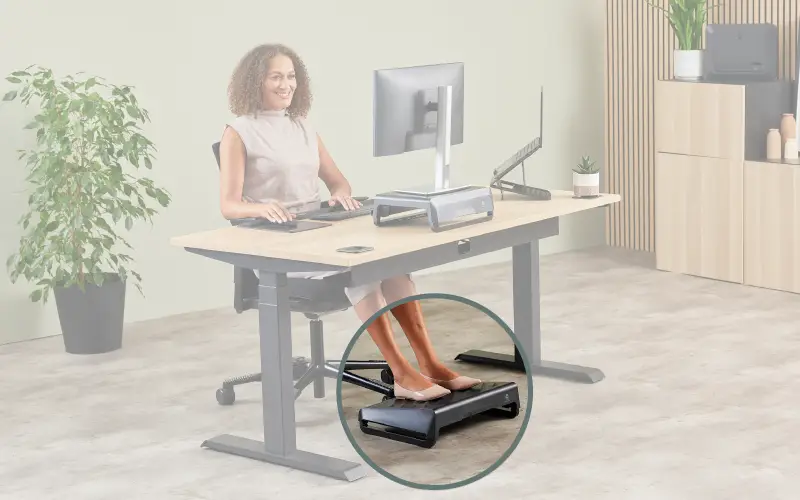
- Keep both feet flat on the floor, or use a foot rest if the chair height leaves your feet unsupported
- Keep the screen in a position that helps you look ahead comfortably instead of dropping your head forward. A monitor stand or monitor arm can help raise the screen to a better height, depending on how much adjustment your setup needs.
- Keep the keyboard and mouse close enough to avoid reaching out from the chair
- Get up and move regularly during the day, even if it is only for a short break
Foot Rests
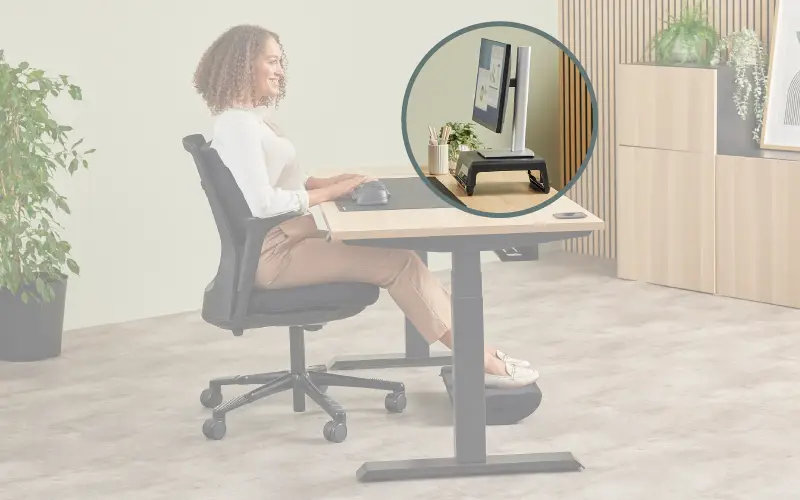
Monitor Stand
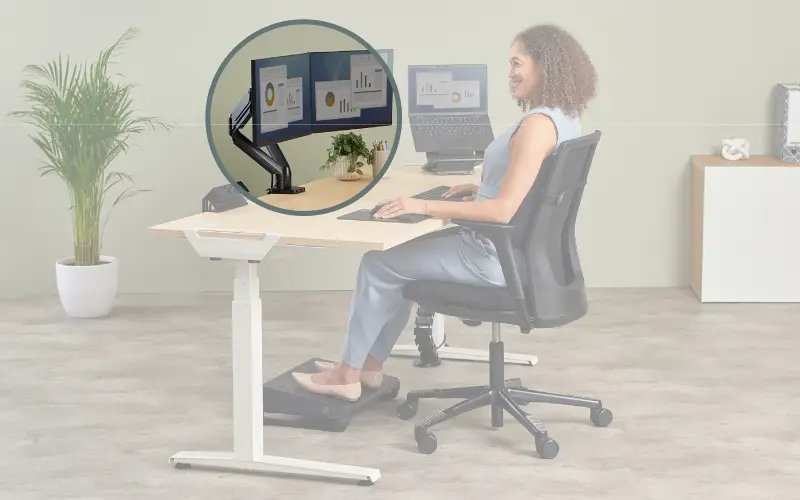
Monitor Arm
How Fellowes back supports fit different desk setups
The kind of support that works best often comes down to how you use the workspace.
Some people already know they want more targeted support around the lumbar area. In those cases, it helps to look more closely at how that part of the setup works with the chair, the screen and lower-body positioning. Our lumbar support guide looks at that in more detail.
VISIT OUR LUMBAR SUPPORT GUIDE
Back support as part of a better workstation setup
At Fellowes, we do not look at posture in isolation. Back support can make a real difference, but it works best when it sits alongside the other parts of the desk setup that affect how you sit and work.
Within the Fellowes Workspace Zone Approach™, back support sits in Zone 1: Prevent Back Tension. This area focuses on how the chair supports the body, how the feet are positioned and how the lower back is supported through the day. When those basics are in place, it becomes easier to improve the rest of the workstation too.
For many people, better posture at work starts with a simple question: is the chair supporting the lower back properly? If the answer is no, adding support there can be one of the most useful and practical changes to make